Paydibs

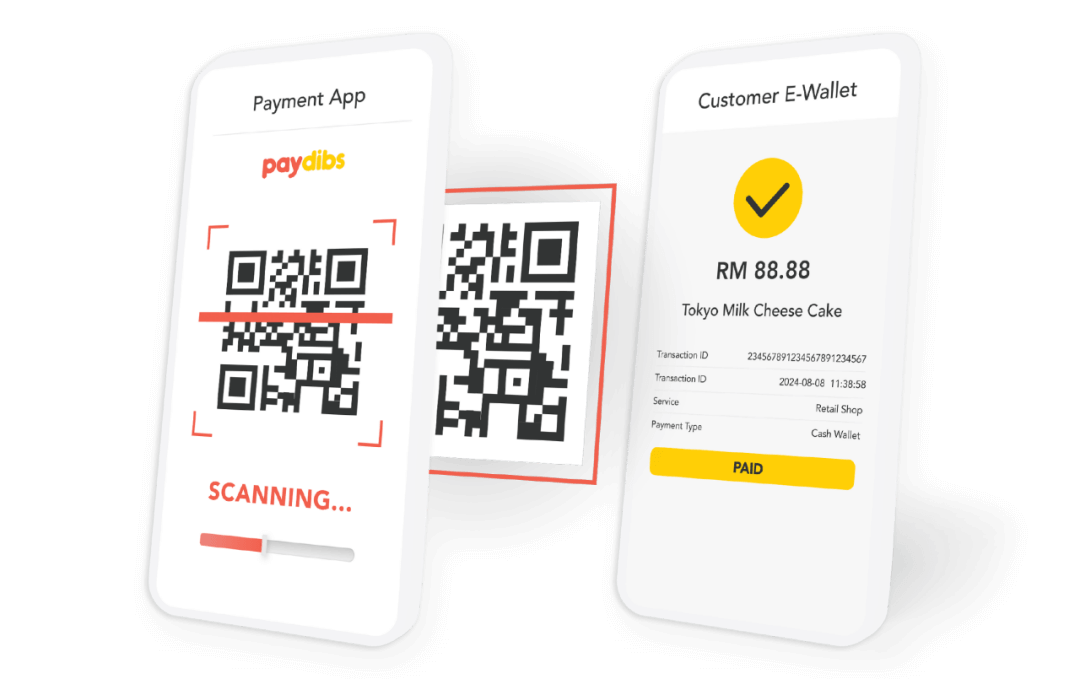

Mobile Friendly
Ensure your app works seamlessly on both iOS and Android devices.

Two-Way Scan
Support for both merchant- scan-customer and customer- scan-merchant ways.
Easy Integration
Easy integration with POS systems and Android terminals.
Real-time Statements
Access real-time transaction statements and reports instantly.

Fast Support
Dedicated customer support to assist you with any inquiries, ensuring a hassle-free experience.

Get It Now
Start accepting payments instantly with Paydibs Pay – your gateway to the future of payments.
Food Truck

Cafe

Restaurant

Street Vendor

Sport Event

Music Festival

Concert & Gig

Exhibition
Exhibition

Grocery Store

Fashion Store

Pop-up Store
Ramadan Bazaar

Night Market

Farmer Market

1. Merchant login Paydibs Pay app.

2. Click QR Code icon.

3. Enter Bill Number, Amount & choose Payment Channel

4. Display the Merchant QR Code and let the customer scan

5. Payment success

1. Merchant login Paydibs Pay app.

2. Click Scan icon.

3. Enter Bill Number and Amount

4. Scan customer’s e- wallet QR code

5. Payment success




 Coming Soon:
Coming Soon:


